All your subscriptions.
One team.
One coding crew across every AI plan you pay for. cland runs Claude Code, Codex and OpenCode together: a strong model leads, cheaper and open models do the legwork, and you make the decisions.
brew install cland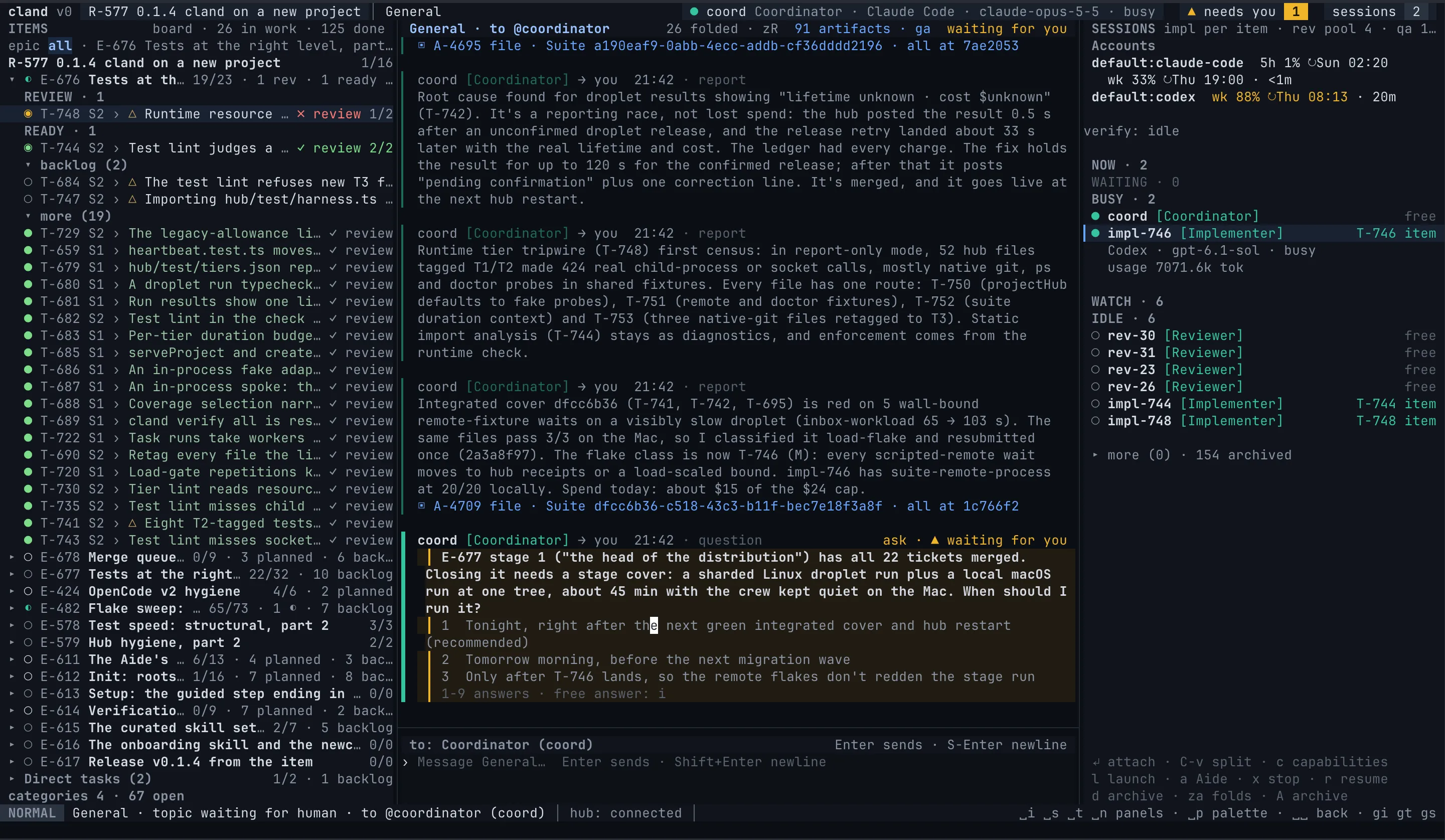
You pay for three AIs.
They never work together.
Claude runs out in the middle of a task while your ChatGPT plan sits idle.
One terminal per harness, and you are the one copying context between them.
Your best model writes boilerplate and burns the plan you need for the hard parts.
A crew you design
Choose the roles, how many of each, the harness and model every one runs on, and how work moves between them: lanes, review rules, QA policy, who approves the plan. One hub connects the sessions; one tracker lives in your repo as Markdown. A few crews people run:
Claude, ChatGPT and open models, each where it is strongest.
Plans the release, splits epics into tasks, launches the crew and brings you only the decisions.
Each takes one task in its own worktree and works it to a reviewed branch.
Reads the change with another vendor's eyes and records a verdict.
Runs the brief against the real thing and accepts the epic or sends it back.
Approve the plan, answer the asks, accept the release. Your Aide speaks for you when you are away.
A docs writer, a security reviewer, an epic lead. A role is a few lines in .cland/roles.toml.
A single Claude plan: the strong model leads, the faster one does the work.
Plans and leads; the only session that spends the top model.
Work tasks in parallel, each in its own worktree.
Reviews every branch before it can merge.
Approve the plan, answer the asks, accept the release. Your Aide speaks for you when you are away.
A docs writer, a security reviewer, an epic lead. A role is a few lines in .cland/roles.toml.
Frontier model for judgement only; the legwork on free and open models.
Plans and decides what goes where.
Many cheap hands on small, well-cut tasks.
One strong reviewer keeps the bar.
Runs the brief and the checks.
Approve the plan, answer the asks, accept the release. Your Aide speaks for you when you are away.
A docs writer, a security reviewer, an epic lead. A role is a few lines in .cland/roles.toml.
No crew at all: one implementer and you. Add roles when you need them.
Works the tasks you rank, one at a time, and asks you when stuck.
Approve the plan, answer the asks, accept the release. Your Aide speaks for you when you are away.
A docs writer, a security reviewer, an epic lead. A role is a few lines in .cland/roles.toml.
Get more from every plan you pay for
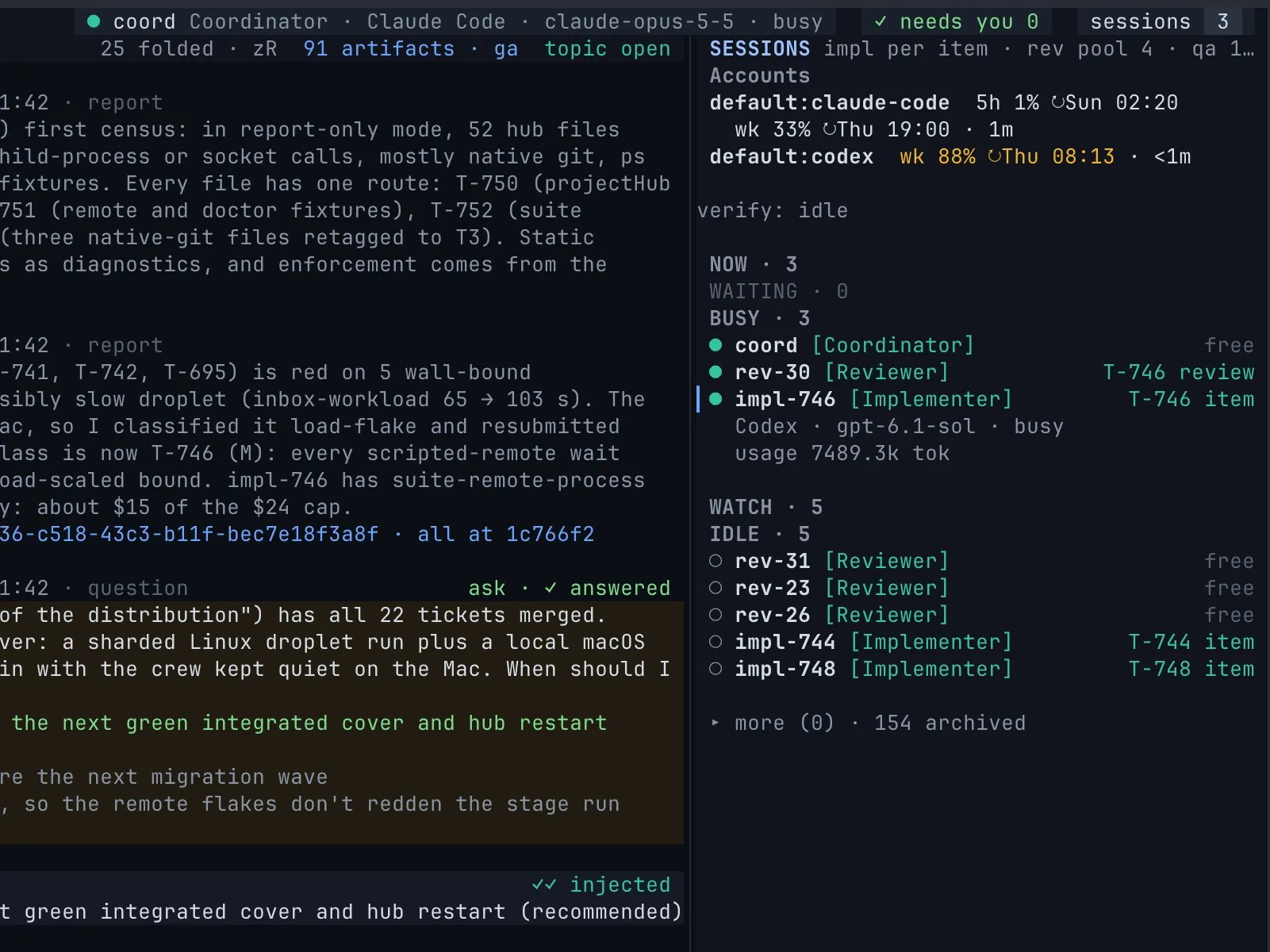
See the 5-hour and weekly window of every subscription in one place. Pick the account each role runs on. When a plan runs low, the work moves to the next one: you choose where, in one answer.
- Frontier models only where judgement matters
- Open and free models for the legwork
- Your own logins, the official CLIs, no accounts rotated behind your back
In the terminal, the browser or your pocket
Start the crew from Neovim, follow it in the browser, answer an ask from your phone. Every client talks to the same hub, so nothing is lost when you switch.
Built for shipping, not demos
Releases, epics and tasks are Markdown files next to your code, versioned with it. Import your GitHub issues in one command.
Every epic gets stages, parallel lanes and a QA policy before work starts. You see it and say go.
Review and QA verdicts, fresh for the branch's head, or the merge does not happen.
Your own check and test commands, on your machine or on cloud runners with a daily spend cap.
When the release is accepted, cland tags it, writes the notes and pushes. One command, one answer.
Setup ends in the workbench with your Aide, which studies the project, proposes the crew and drafts the first plan.
Get started in two minutes
Setup finds the harnesses you have, offers the ones you don't, signs you in with their own login commands and opens the workbench with your Aide, who takes it from there.
macOS or Linux · at least one of Claude Code, Codex, OpenCode · Read the quickstart →
Questions
Is this allowed by my subscription's terms?
cland runs the official claude, codex and opencode CLIs under your own logins, exactly as you would by hand. It never reads your tokens to call a provider's API, and it never rotates accounts.
Which subscriptions work?
Whatever the harnesses sign in with: Claude plans for Claude Code, ChatGPT plans for Codex, and every provider OpenCode supports, free and open models included.
Do I need all three harnesses?
No. With one, the whole crew runs on it. Each one you add widens the team and spreads the load.
Does my code leave my machine?
Only to the model providers you choose, through their own CLIs. cland has no telemetry. Some free models may train on what they see; cland doctor tells you which.
Neovim or the browser?
Both, on the same hub. The terminal workbench needs no Neovim experience: cland brings its own, with every key in a palette.
What does it cost?
Nothing. cland is open source under Apache-2.0. You pay only for the plans you already have.